For a successful business owner in Spain, the Digital Certificate (Certificado Digital) is not just an electronic ID, it is your digital power of attorney. In 2026, navigating the Spanish administration without it, is nearly impossible for anyone running a serious enterprise. This guide breaks down exactly how to secure this ‘Master Key‘ to handle 90% of your business paperwork from your laptop, anywhere in the world.
Why Business Owners Can’t Live Without Digital Certificate
A Digital Certificate allows you to securely verify your identity and sign documents online with the same legal validity as a handwritten signature. As an entrepreneur, you will use it for:
- Residency Management: Renewing TIEs or applying for permanent residency through the Mercurio platform.
- Legal Signatures: Signing commercial contracts and employee agreements via AutoFirma, the official government signing tool.
- Social Security: Managing employee contributions and checking your personal “Vida Laboral”.
- Tax Compliance: Filing quarterly VAT (IVA) and corporate tax returns directly with the Agencia Tributaria.
Step-by-Step Guide to Obtaining Your Digital Certificate
The FNMT (Fábrica Nacional de Moneda y Timbre) certificate is the industry standard for entrepreneurs in Spain. Follow these steps carefully to ensure a smooth installation.
Step 1: Pre-Application Configuration
Before applying, you must prepare your computer.
- Install the Configurator: Download and install the “FNMT-RCM Configurator” from the official FNMT website. This software is compatible with Windows, Mac, and Linux.
- Browser Consistency: You must use the same computer, browser, and user profile for the entire process, from the initial request to the final download. Do not update your browser or format your computer during this period.
Step 2: Request Your Application Code
Navigate to the official FNMT portal and select “Request Certificate”.
- Enter your NIE/NIF and your first surname as it appears on your identity documents.
- Provide a valid email address. You will receive a 9-digit Request Code (Código de Solicitud).
- Keep this code safe; you cannot proceed without it.
Step 3: Identity Verification (The 2026 Modern Way)
In 2026, you have two primary ways to verify who you are:
- Option A: Video Identification (Fastest): You can now verify your identity via a video call on the FNMT website for a small fee. This is ideal for busy business owners who want to avoid physical queues.
- Option B: In-Person Accreditation (Traditional): Make a Cita Previa (appointment) at a local Registry Office, such as the Tax Agency (Agencia Tributaria) or your local Town Hall (Ayuntamiento). Bring your identity document (DNI/TIE/Passport) and your 9-digit Request Code.
Step 4: Download and Backup (Crucial)
Approximately one hour after your identity is verified, you will receive an email letting you know your certificate is ready.
- Return to the same computer and browser used in Step 1.
- Enter your Request Code and download the certificate.
- The Golden Rule: Immediately export a backup copy (a file ending in .pfx or .p12) to a secure cloud drive or USB. If your computer crashes and you don’t have a backup, you must restart the entire process from Step 1.
Essential Software: AutoFirma
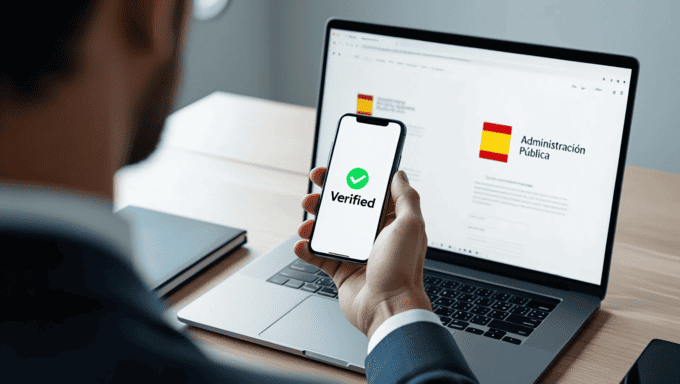
Once your certificate is installed, you must download AutoFirma. This is the desktop application required by most Spanish government portals to physically “execute” the digital signature on PDFs and web forms.
Expert Tip for Global Entrepreneurs
If you manage your Spanish business from abroad, your Digital Certificate is your lifeline. It allows you to respond to official notifications from the government (Notificaciones Electrónicas) instantly, preventing legal deadlines from expiring while you are traveling.
Need help with your first tax filing now that you have your certificate? Browse our Professional service Category to find a specialized Gestor who can assist your business.
Comments
Very informative article for new comers and entrepreneur.